

Cold Email Infrastructure Services: What to Look For Before You Buy
There's a difference between a company that sells you mailboxes and a company that actually manages your cold email infrastructure. That distinction matters enormously — and most buyers don't realize the gap until they're scrambling to recover from a deliverability crisis at 11 PM.
This guide explains what cold email infrastructure services actually include, what the service tiers look like, and the specific questions to ask before you commit to a provider.
Types of Cold Email Infrastructure Services
The market offers three fundamentally different service models:
| Service Type | What You Get | What You Manage | Best For |
|---|---|---|---|
| Self-service tools | Mailbox provisioning, DNS templates | Everything else — warmup, monitoring, DNS, troubleshooting | Technical teams with dedicated infra staff |
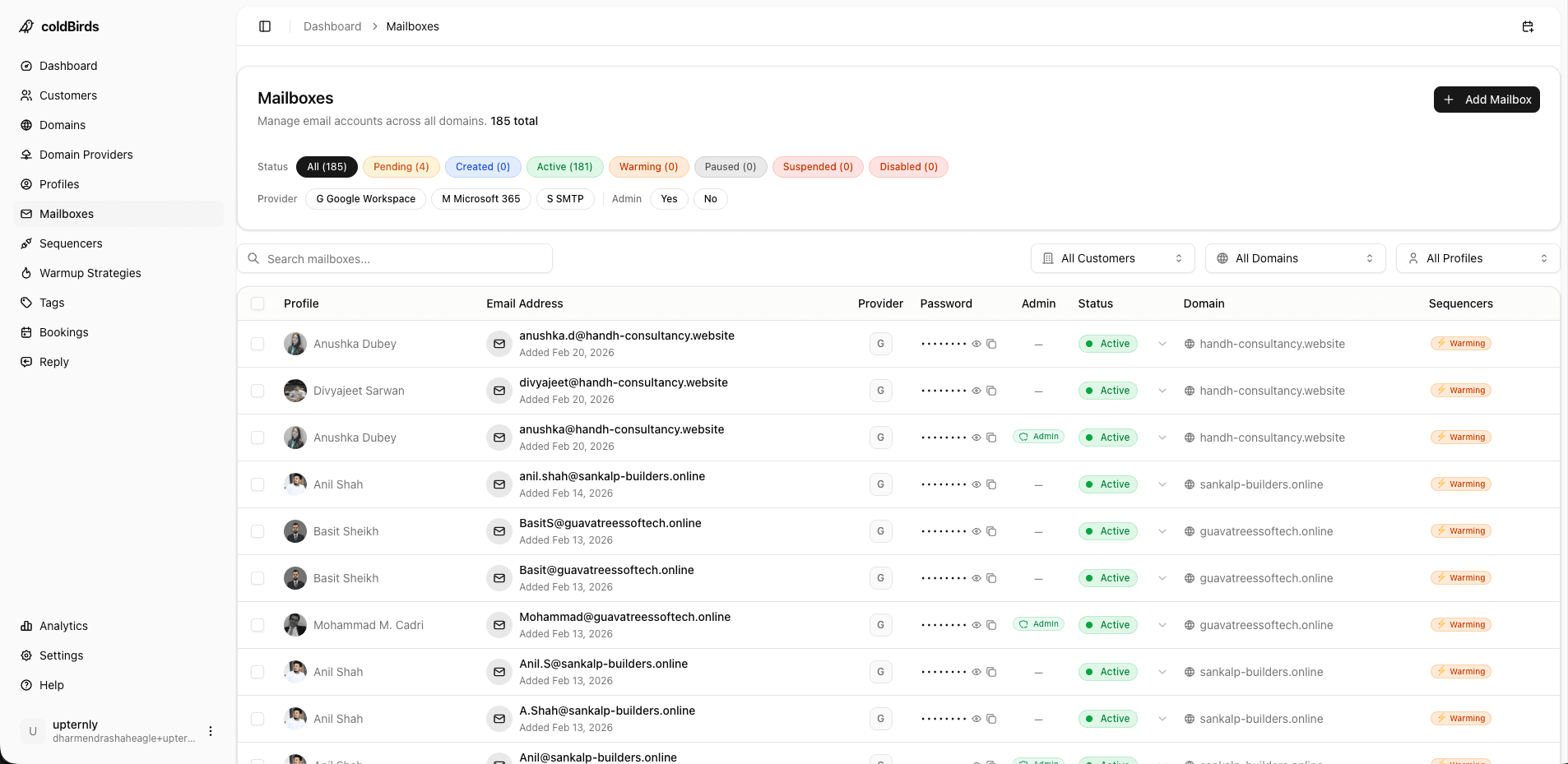
| Managed infrastructure | Provisioned mailboxes + DNS + warmup + monitoring, all managed for you | Campaign strategy and sequencer setup | Agencies, in-house teams without technical resources |
| Full-stack platform | Everything above + dashboard, VA support, auto-healing, sequencer integration | Campaigns and client relationships | Agencies, SDR teams, solo operators who want to scale |
Most buyers need managed infrastructure or a full-stack platform. The "self-service" route works only if you have someone technical who can dedicate 10–20 hours/week to infrastructure management — a resource most cold email agencies and SDR teams don't have.
What a Managed Cold Email Infrastructure Service Should Include
If you're paying for managed infrastructure, these are the minimum deliverables you should expect:
1. Domain Registration and Management
The service should handle registering your sending domains, auto-renewing them before expiry, and maintaining a clean domain rotation strategy. You should not be manually buying domains in a registrar and entering credentials into a tool.
What to verify: Does the service register domains in your name (portable if you leave) or theirs (lost if you leave)?
2. Mailbox Provisioning
New mailboxes should be provisioned within hours, not days. The service should support both Google Workspace and Microsoft 365 — not just one — so you can optimize per campaign target.
What to verify: Can you scale from 20 to 200 mailboxes in the same business day? What's the provisioning SLA?
3. Automatic DNS Configuration
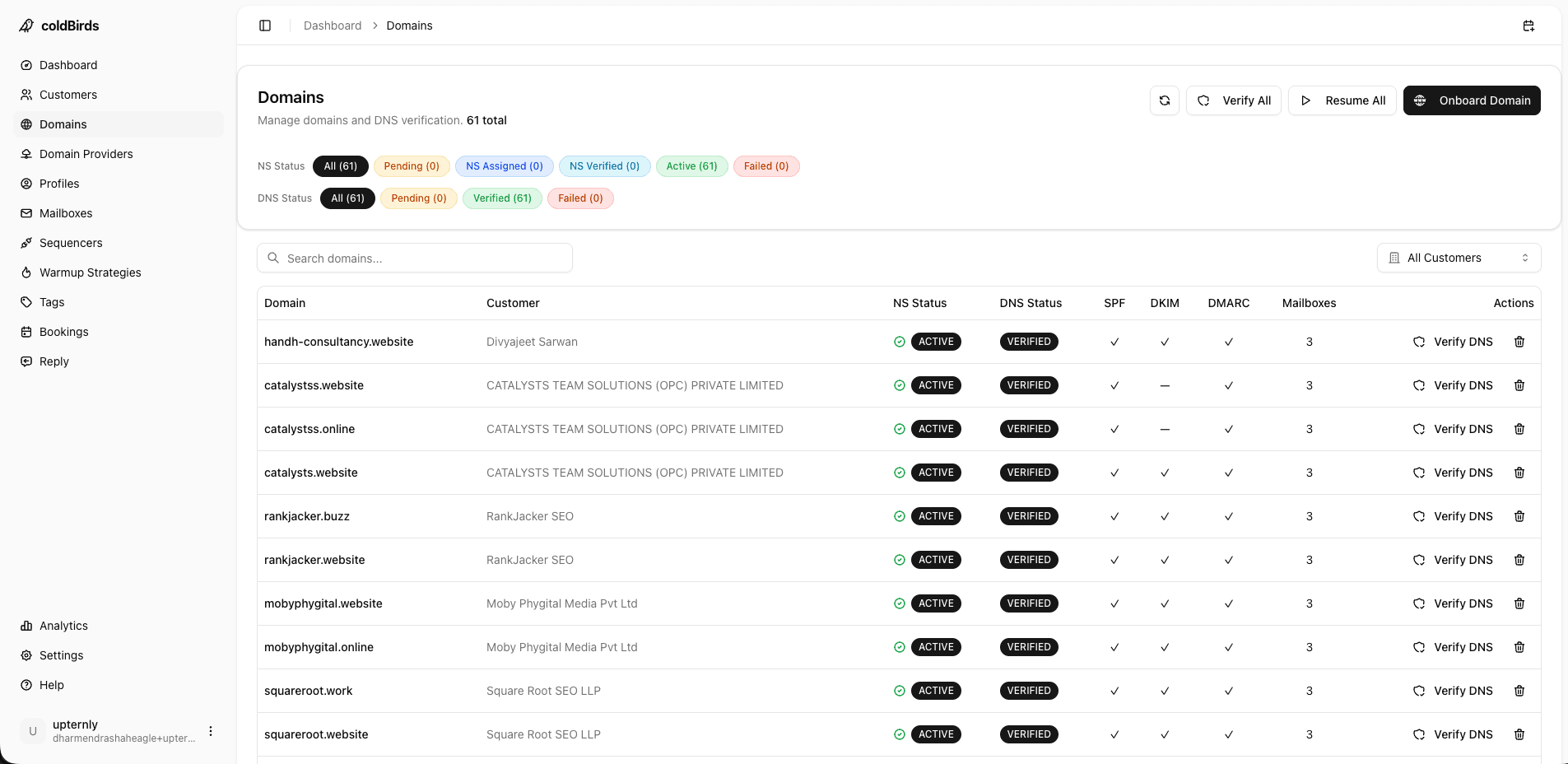
SPF, DKIM, and DMARC records must be configured on every domain — correctly, not just present. A misconfigured DMARC record is as bad as a missing one.
Manual DNS configuration is a common failure point. Every domain handed off requires a human to correctly enter records in the DNS editor. Services that automate this step eliminate an entire category of error.
What to verify: Is DNS configured automatically when domains are added, or does it require a support request?
4. Warmup Protocol with Performance Tracking
New mailboxes need 14–28 days of warmup before production sending. The service should manage this automatically and show you warmup progress per mailbox.
More importantly: warmup shouldn't be a one-time event. Mailboxes that pause between campaigns need re-warming before they return to production volume.
What to verify: What warmup schedule does the service use? Can it be customized? Do you get warmup analytics per mailbox?
5. Continuous Health Monitoring
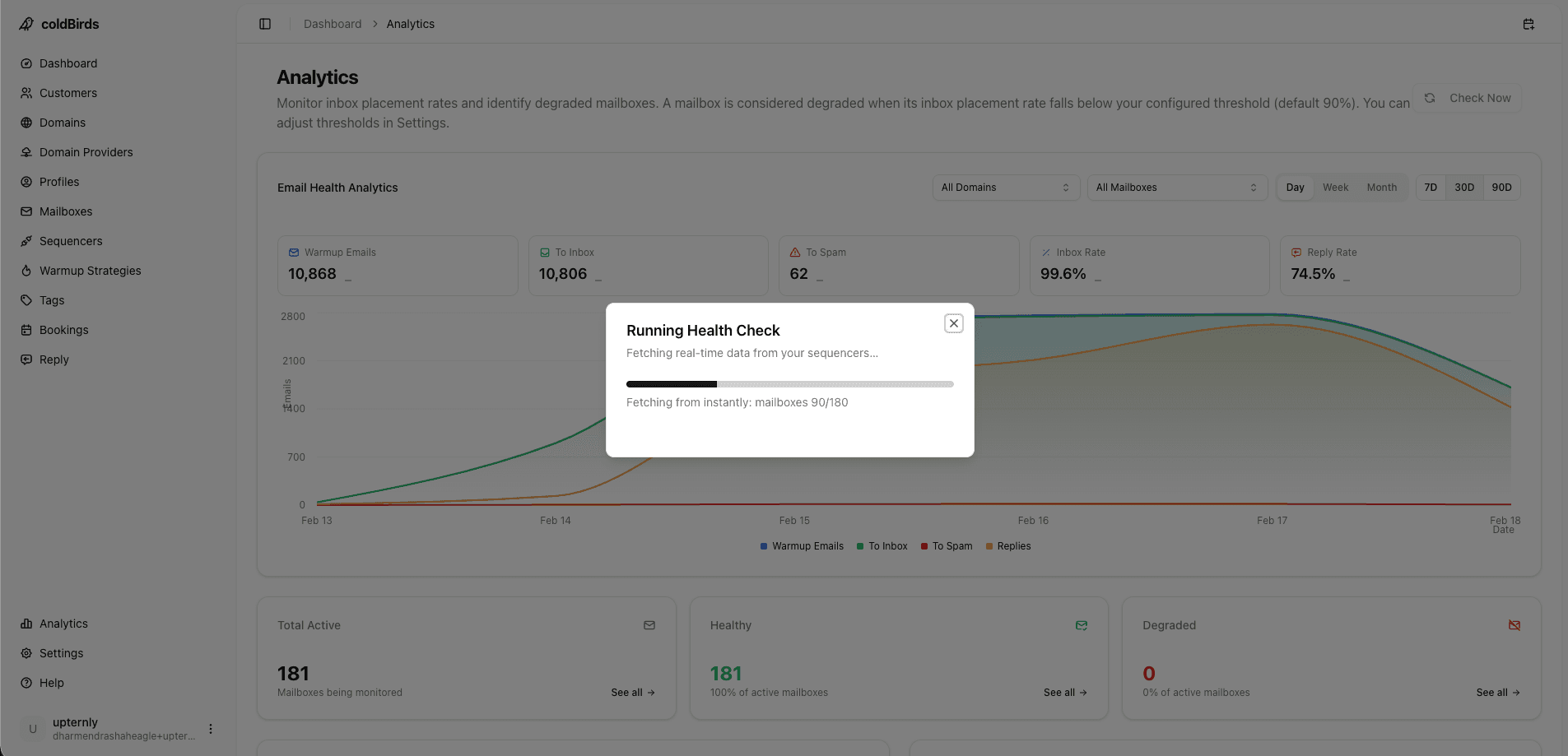
This is where most services fall short. "Health monitoring" means different things to different providers:
| Monitoring Level | What It Checks | Frequency | Action |
|---|---|---|---|
| Basic | Blacklist status only | Weekly or manual | Alert only |
| Intermediate | Blacklist + bounce rate | Daily | Alert |
| Advanced | Inbox placement + reputation + authentication | Every 6 hours | Auto-suspend |
A service that monitors once a day gives degraded mailboxes 24+ hours to keep burning. One damaged mailbox sending 50 emails/day for 24 hours can permanently damage a domain's reputation.
The minimum acceptable monitoring is every 6 hours with automatic suspension of degraded mailboxes — no human action required.
6. Auto-Healing / Auto-Suspend
Monitoring that only sends alerts is half a solution. If the alert arrives at 3 AM on a Sunday and no one acts on it until Monday morning, a degraded mailbox has been sending for 36+ hours.
True auto-healing means the platform automatically suspends a mailbox that drops below acceptable inbox placement thresholds — without requiring any human action — within the next monitoring cycle.
What to verify: "What happens automatically when a mailbox's inbox rate drops to 30%?" Any answer that involves human review or a support ticket is insufficient.
7. Sequencer Integration Without Lock-in
Your infrastructure service should integrate with 2–4 sequencers. If it only integrates with one, switching sequencers in the future means re-provisioning all your infrastructure — a significant migration cost.
What to verify: Which sequencers are natively supported? Can you use multiple sequencers simultaneously? Is sequencer migration possible?
8. Multi-Client / Multi-Team Dashboard
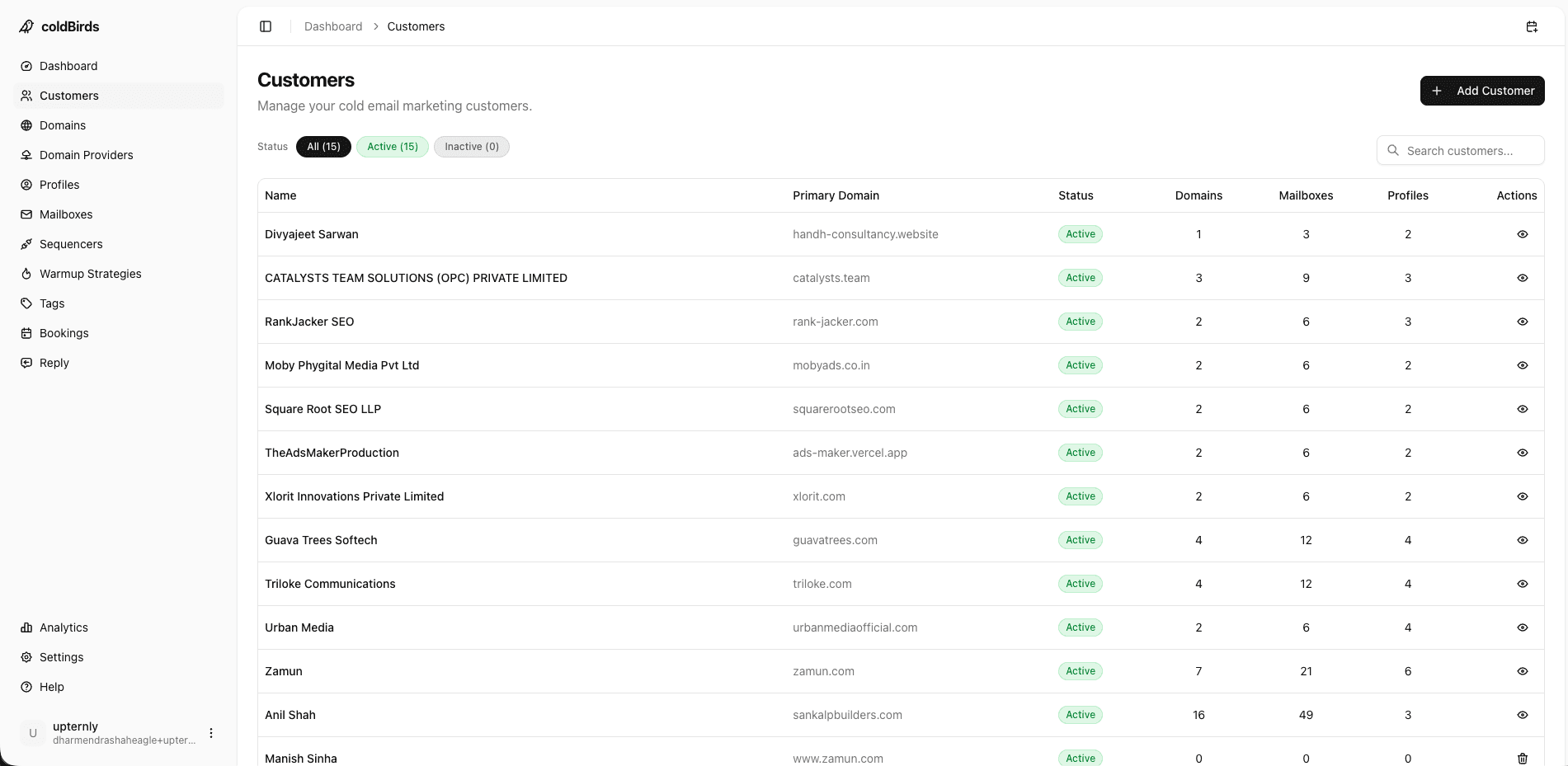
For agencies and enterprise teams, a flat list of mailboxes is not a dashboard. You need:
- Client-level groupings
- Per-client domain health views
- Onboarding flow for adding new clients
- Access controls (client can't see other clients' data)
What to verify: Can your clients access a white-labeled view of their own infrastructure? Can you restrict access by role?
White-Label and API Services
Two service categories are often overlooked in standard comparisons but are critical for specific buyer types:
White-label infrastructure services (for agencies and resellers):
- The service operates under your brand — client portal, reports, and communication show your agency name
- Domains registered in client or agency name — portable if you ever switch providers
- Invoicing and support routed through your agency, not the vendor
- Your clients never discover the underlying platform or see what it costs
White-labeling is not about hiding the vendor — it's about positioning your infrastructure expertise as a premium service, not a commodity tool resale.
API-driven infrastructure services (for technical teams and AI-SDR startups):
- REST API for programmatic mailbox provisioning (create 50 mailboxes via a single POST request)
- Webhook events when mailbox health changes, warmup milestones complete, or auto-suspend fires
- SDK / client libraries for Node.js, Python, or other languages
- Sandbox environment for testing automations before production
- Status page and uptime SLA — critical if you're embedding the service into your own product
If you're building an AI-SDR tool or outbound automation platform, embedding infrastructure as a service (rather than requiring customers to bring their own mailboxes) dramatically improves your activation rate. Customers who skip the infrastructure setup step are 3x more likely to complete onboarding.
Understanding Service Tiers and What They Actually Cost
Cold email infrastructure services price in confusing ways. Here's how to normalize the comparison:
Per-mailbox pricing: Looks cheap ($3–5/mailbox) but usually excludes warmup, monitoring, and support. Real cost after adding missing services: $8–15/mailbox.
Per-domain pricing: Ranges from $15–50/domain/month. Includes 2–3 mailboxes. Often caps include warmup, sometimes monitoring.
Bundle/platform pricing: All-inclusive monthly fee covering all mailboxes up to a tier, with all services included. Easiest to compare true costs.
True Cost Comparison for 100 Mailboxes:
| Approach | Direct Cost | Hidden/Additional | Total Monthly |
|---|---|---|---|
| Manual Google Workspace | $840 | +$200 warmup tool +$150 monitoring +$500 mgmt time | ~$1,690 |
| Cheap provider (shared IPs) | $300 | +$200 warmup +poor deliverability = campaign losses | $500+ |
| Full-stack managed platform | $497–$797 | All-inclusive | $497–$797 |
Always ask providers: "What is the all-in monthly cost for 100 mailboxes, including warmup, monitoring, DNS management, and support?" If they can't give you a single number, that's the answer.
Compliance Requirements to Ask About
Different industries and geographies require different compliance levels:
CAN-SPAM compliance (all US senders): Physical address in emails, clear unsubscribe mechanism, no deceptive headers. Most services support this minimally — verify your sequencer handles the rest.
GDPR compliance (EU senders or sending into EU): Documented basis for processing prospect data, data erasure rights, DPA with the infrastructure provider. Ask for the provider's DPA template before signing.
SOC 2 Type II (enterprise buyers, healthcare, finance): Security audit certification. Required by most enterprise procurement processes and many healthcare buyers. If the provider can't share their SOC 2 report, you will fail your own security review.
HIPAA adjacency (healthcare): Cold email to healthcare professionals requires careful handling. No PHI in emails, BAA (Business Associate Agreement) with providers if any PHI is touched.
10 Questions to Ask Any Cold Email Infrastructure Provider
- What is your IP isolation model? Do I get dedicated IPs, and at what ratio per mailbox?
- How frequently do you run health checks on individual mailboxes?
- What happens automatically when a mailbox degrades — auto-suspend or manual alert?
- Is DNS configuration automatic or do I need to make changes manually?
- What sequencer integrations do you support natively?
- How long does it take to onboard a new client from zero to sending?
- Do you have SOC 2 Type II certification?
- Does your service include a GDPR DPA?
- What are the complete costs for 100 mailboxes, all-in?
- Can I migrate my existing mailboxes or do I start fresh?
Key Takeaways
- "Managed infrastructure" means different things to different providers — verify exactly what's included
- Auto-healing (auto-suspend on degradation) is non-negotiable; alert-only monitoring is insufficient
- True DNS automation eliminates a major category of configuration errors
- Warmup must be applied to every new mailbox and re-applied after pauses — not just a one-time setup
- Monitoring frequency should be every 6 hours minimum — daily checks leave problems unaddressed for too long
- Always calculate total cost of ownership: per-mailbox pricing is misleading without warmup, monitoring, and management costs included
- Ask for SOC 2 report and GDPR DPA before signing — absent these, you'll fail your own security review
Related reading: Cold Email Infrastructure Providers Compared | Cold Email Infrastructure for Agencies | Essential Components of a Cold Email Infrastructure Stack
coldBirds includes automatic DNS, 6-hour health monitoring, auto-suspend, dedicated VA support, and sequencer integrations — all in one service.
Start Free with 20 Isolated Mailboxes →