

Top Cold Email Infrastructure Providers in 2026: Compared and Ranked
You've decided to invest in proper cold email infrastructure. Now you need to pick a provider. The decision directly affects whether your emails land in primary inboxes or get silently dropped — and how many hours per week your team spends managing the plumbing instead of running campaigns.
Here's an objective breakdown of what to look for and how current providers stack up.
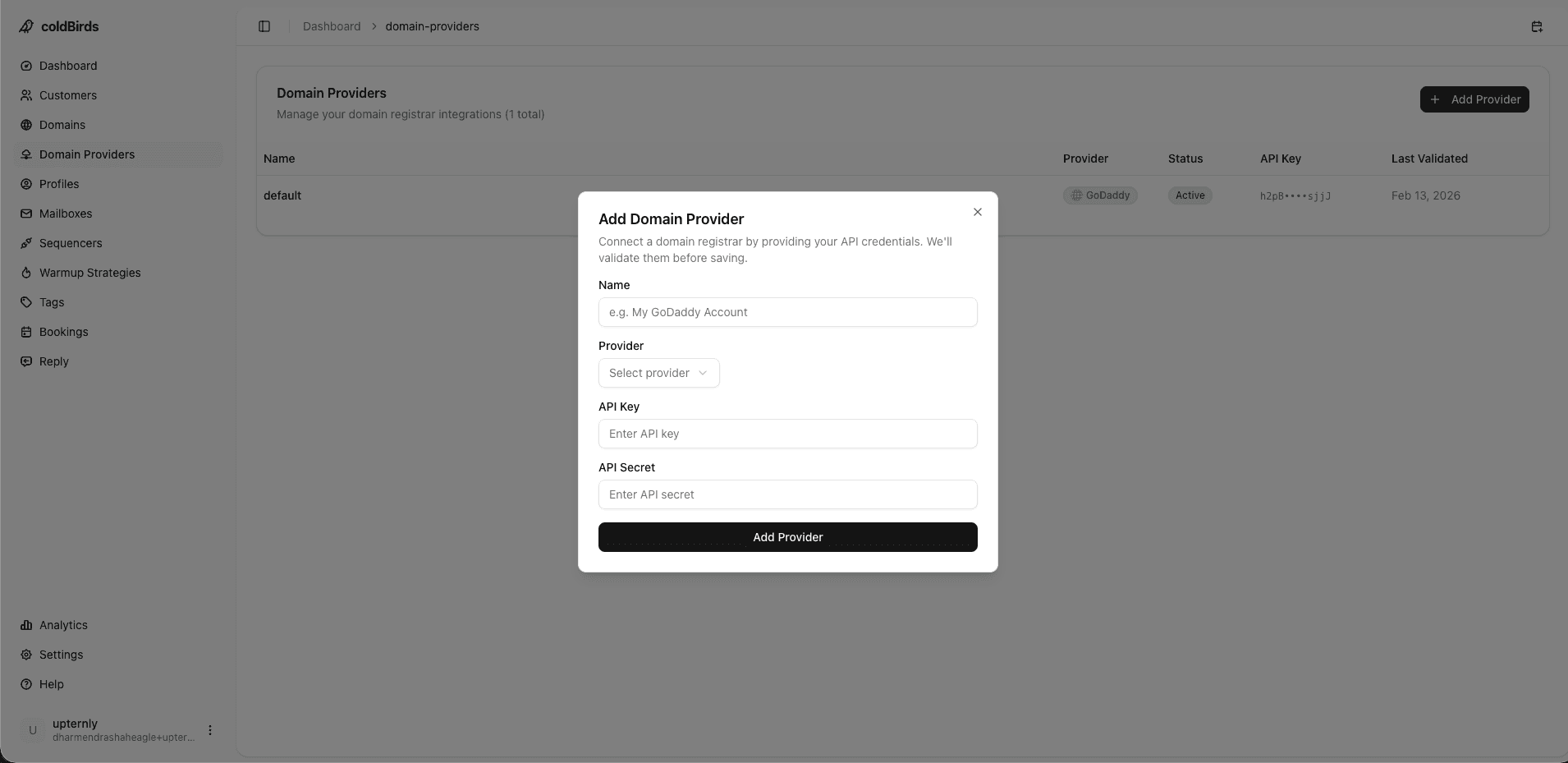
What to Evaluate in a Cold Email Infrastructure Provider
Before comparing specific providers, define your evaluation criteria. The wrong weighting leads to the wrong choice.
| Criterion | Why It Matters | Who Cares Most |
|---|---|---|
| IP isolation model | Shared IPs = shared risk. Degraded neighbors hurt your deliverability | Everyone |
| Auto DNS configuration | Manual SPF/DKIM/DMARC setup is error-prone and time-consuming | Raj, Mike, agencies |
| Health monitoring frequency | How quickly does the platform detect degraded mailboxes? | Mike, Carlos, Marcus |
| Auto-suspend / self-healing | Does it act on degraded mailboxes automatically or wait for you? | All operational buyers |
| Sequencer integrations | Which sending tools does it connect to? | Mike, Priya, Sofia |
| Client/team management | Can you manage multiple clients or SDR teams from one dashboard? | Agencies, Sarah, Carlos |
| Onboarding speed | How fast can you add new clients or scale mailbox count? | Mike, Carlos, Sarah |
| API access | Programmatic provisioning and management | Sofia, Priya, RevOps |
| Compliance documentation | SOC 2, DPA, GDPR compliance artifacts | Emma, Lena |
| Pricing model | Per-mailbox? Per-domain? All-inclusive? | Everyone, especially Raj |
Provider Comparison: What the Market Offers
The cold email infrastructure market has expanded rapidly since 2023. Here's how the main categories of providers compare:
| Feature | Shared IP Providers | Dedicated Server Providers | Full-Stack Platforms (e.g. coldBirds) |
|---|---|---|---|
| IP isolation | ❌ Shared pools | ⚠️ Per-customer server, not per-mailbox | ✅ 1 IP per 3 mailboxes |
| Auto DNS setup | ❌ Manual | ❌ Manual | ✅ Automatic SPF/DKIM/DMARC |
| Health monitoring | ❌ None | ⚠️ Manual or periodic | ✅ Every 6 hours |
| Auto-suspend degraded | ❌ None | ❌ None | ✅ Automatic |
| Warmup included | ⚠️ Basic or separate tool | ❌ Separate tool needed | ✅ Bulk warmup included |
| Sequencer integrations | 1–2 | 1–2 | 4 (Instantly, Smartlead, PlusVibe, Email Bison) |
| Dedicated VA | ❌ | ❌ | ✅ Free with every account |
| Client dashboard | ❌ | ⚠️ Limited | ✅ Full multi-client |
| Onboarding time | Days–weeks | 1–2 weeks | Hours |
| API access | Limited | Basic | ✅ Full API |
Why Shared IP Providers Fall Short at Scale
Shared IP infrastructure is the most common entry point for cold email senders — and the most common source of deliverability problems.
On shared IP pools, your email reputation is tied to the behavior of every other customer on the same IPs. In practice, that means:
- A single spammer on your shared IP range triggers blacklisting that affects all tenants
- IP reputation scores fluctuate daily based on other users' sending patterns
- You have no visibility into what's happening on your shared infrastructure
- When something goes wrong, the provider has no obligation to act quickly — their infrastructure is "working" for everyone else
Shared IP providers often advertise "email deliverability optimization" — but they cannot optimize what they don't control. You're at the mercy of other tenants.
A 2024 study of cold email campaigns found that senders on shared IP infrastructure averaged 42% inbox placement rates. Senders on properly isolated dedicated IPs averaged 71% inbox placement rates — a 29-point gap directly attributable to infrastructure.
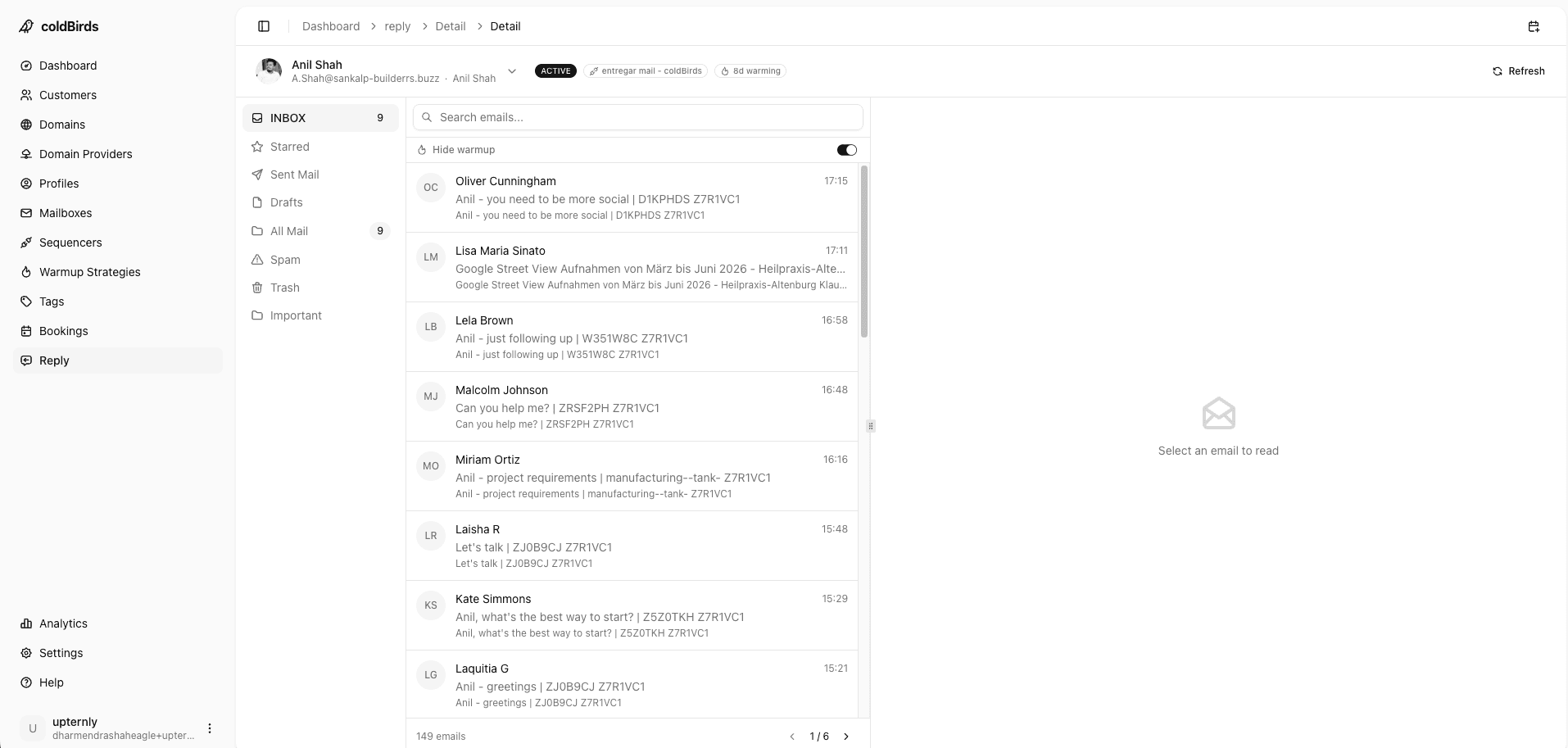
Why Dedicated Servers Aren't the Same as True Isolation
Some providers offer "dedicated servers" — a single server per customer rather than a shared pool. This is better than shared IPs, but it's not the same as per-mailbox isolation.
With a dedicated server, all your mailboxes share the same IP range. If one mailbox degrades — whether from aggressive sending, a spam complaint, or content triggers — the damage propagates to every mailbox on that server.
For agencies with 50–1,000 mailboxes across multiple clients, this means one client's bad week can affect every other client's deliverability.
True isolation means the blast radius is minimized at the mailbox level: 1 dedicated IP per 3 mailboxes. When something goes wrong, only 3 mailboxes are affected — not the entire customer account.
What Full-Stack Infrastructure Platforms Provide
Full-stack infrastructure platforms go beyond just provisioning mailboxes. They manage the complete operational workflow:
Automated provisioning — New client or new campaign? The platform registers domains, provisions mailboxes, configures DNS, and applies warmup automatically. No manual DNS editing.
Continuous monitoring — Health checks run every 6 hours across all mailboxes. Inbox placement rates, blacklist status, authentication health, and sending reputation are all tracked automatically.
Auto-healing — When a mailbox drops below acceptable inbox placement thresholds, it's automatically suspended before the damage compounds. No human in the loop required — no 3 AM alerts.
Unified dashboard — One view across all clients, all domains, all mailboxes. Agencies managing 30+ clients see everything in one place. SDR directors see every rep's infrastructure health.
Sequencer agnosticism — Integrate with 2–4 sequencers without being locked into one vendor. Switch sequencers without re-provisioning infrastructure.
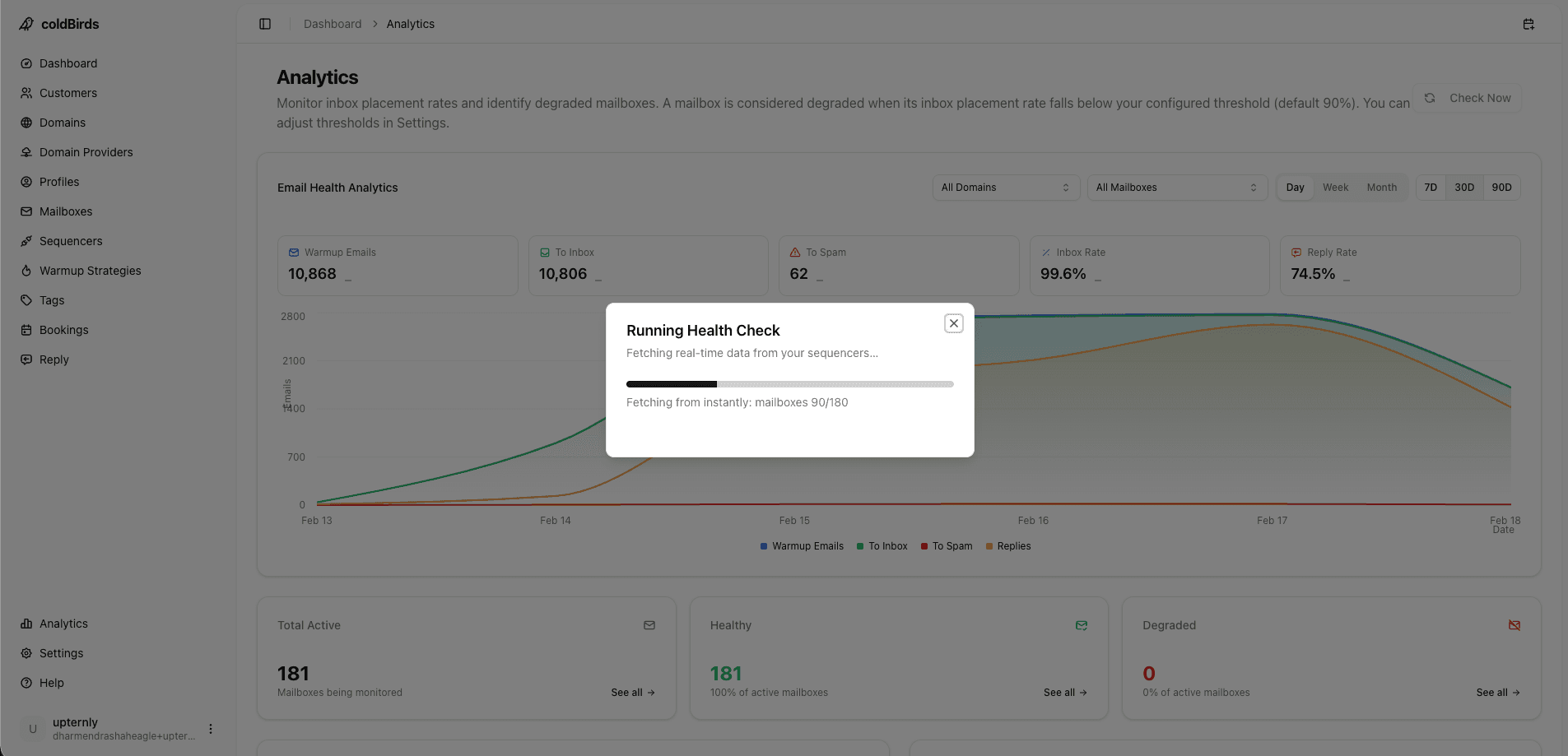
When evaluating providers, ask specifically: "What happens when a mailbox's inbox placement rate drops to 30%?" If the answer involves human review or a support ticket, that's a red flag. Auto-suspension should happen automatically within the next monitoring cycle.
White-Label and Multi-Tenant Requirements
For resellers, white-label agencies, and consultancies managing infrastructure as a service, the platform must disappear behind your brand:
- Branded client portal — Your logo, your colors. Clients see your agency dashboard, not the vendor's product.
- Domain ownership clarity — Domains registered in client name (portable) vs. agency name (protected). Either model works — clarify before signing.
- Margin protection — If a client can Google the provider's pricing page and see you're marking up a $97/month platform at 10x, your retainer is at risk. White-labeling prevents this.
- Multi-tenant isolation — Each client's data must be completely separated. One client's admin access should never expose another client's domains, credentials, or campaign data.
White-label infrastructure is not a niche feature — it's a requirement for any agency charging premium retainers for "managed infrastructure." Evaluate this early; retrofitting white-labeling after signing is usually impossible.
Understanding Provider Pricing Models
Cold email infrastructure pricing varies wildly and comparison is non-trivial:
| Pricing Model | Example | Hidden Costs |
|---|---|---|
| Per mailbox/month | $8.40/mailbox (Google Workspace) | Warmup tool, monitoring tool, DNS management = separate costs |
| Per domain/month | $15–$30/domain | Mailbox provisioning often extra |
| Bundled platform | $97–$497/month | Usually all-inclusive — check what's actually included |
| Per-client | $50–$200/client/month | Scales predictably with agency growth |
| API consumption | Pay per API call | Unpredictable at scale; good for devs |
The true cost comparison must include:
- Mailbox provisioning (Google Workspace/M365)
- Warmup tool
- Monitoring tool
- DNS management
- Support/VA time
- Your own management hours
When factoring in all costs, self-managed setups for 200 mailboxes typically run $2,000–$3,500/month in direct costs plus 10–20 hours/week in management overhead.
Compliance and Security Requirements by Segment
US-based companies must comply with CAN-SPAM requirements: physical address in emails, clear unsubscribe, no deceptive headers. Most providers support this minimally.
EU-based agencies need providers with GDPR-compliant data processing, documented DPA (Data Processing Agreement), and ideally EU data residency for stored contact data. Not all providers offer this.
EU-based agencies need providers with GDPR-compliant data processing, documented DPA (Data Processing Agreement), and ideally EU data residency for stored contact data. Not all providers offer this.
Enterprise buyers (healthcare, finance) need SOC 2 Type II certification, audit logging, access controls, and formal vendor risk documentation. Providers without this documentation will fail security review.
API-first and developer teams need programmable infrastructure: REST API for mailbox provisioning, webhook events for health state changes, and SDK documentation. Evaluate API completeness the same way you'd evaluate any developer tool — check if the docs are public, the endpoints are consistent, and there's a sandbox environment.
Always ask for the provider's SOC 2 report, their DPA template, and their data residency options before signing. If they can't produce these, you'll fail your own security audit.
Provider Evaluation Checklist
Before committing to any cold email infrastructure provider, get answers to these 10 questions:
- What is your IP isolation model? (per-mailbox vs. per-customer vs. shared pool)
- How often do you monitor mailbox health?
- What happens automatically when a mailbox degrades?
- How do you handle DNS configuration — manual or automatic?
- What sequencers do you integrate with natively?
- How fast can I provision 50 new mailboxes? (hours or days?)
- Do you support white-labeling for agency clients?
- What compliance certifications do you hold? (SOC 2, GDPR, DPA)
- Is your API documented and production-ready?
- What does the SLA look like for uptime and support response time?
Key Takeaways
- IP isolation is the most important differentiator — shared IPs create systematic deliverability risk regardless of everything else
- Dedicated server providers offer better isolation than shared pools but still expose entire customer accounts to single-point failures
- Full-stack platforms with per-mailbox IP isolation, auto-DNS, and automated health monitoring provide the lowest operational overhead
- True pricing comparison must include all tools (warmup, monitoring, management) plus your time
- Compliance documentation (SOC 2, GDPR DPA) is a hard requirement for enterprise buyers — demand it before signing
- Auto-suspension of degraded mailboxes is table stakes in 2026 — if it requires a support ticket, keep looking
See also: What Is Cold Email Infrastructure? | Cold Email Infrastructure for Agencies | How to Choose a Cold Email Infrastructure Provider
Stop comparing providers on spec sheets. See what dedicated 1:1:1:3 isolation, 6-hour monitoring, and auto-DNS actually look like in a live dashboard.
Start Free with 20 Isolated Mailboxes →